How to read a signal card
A plain-English breakdown of every number on a PIPFORGE trading signal.
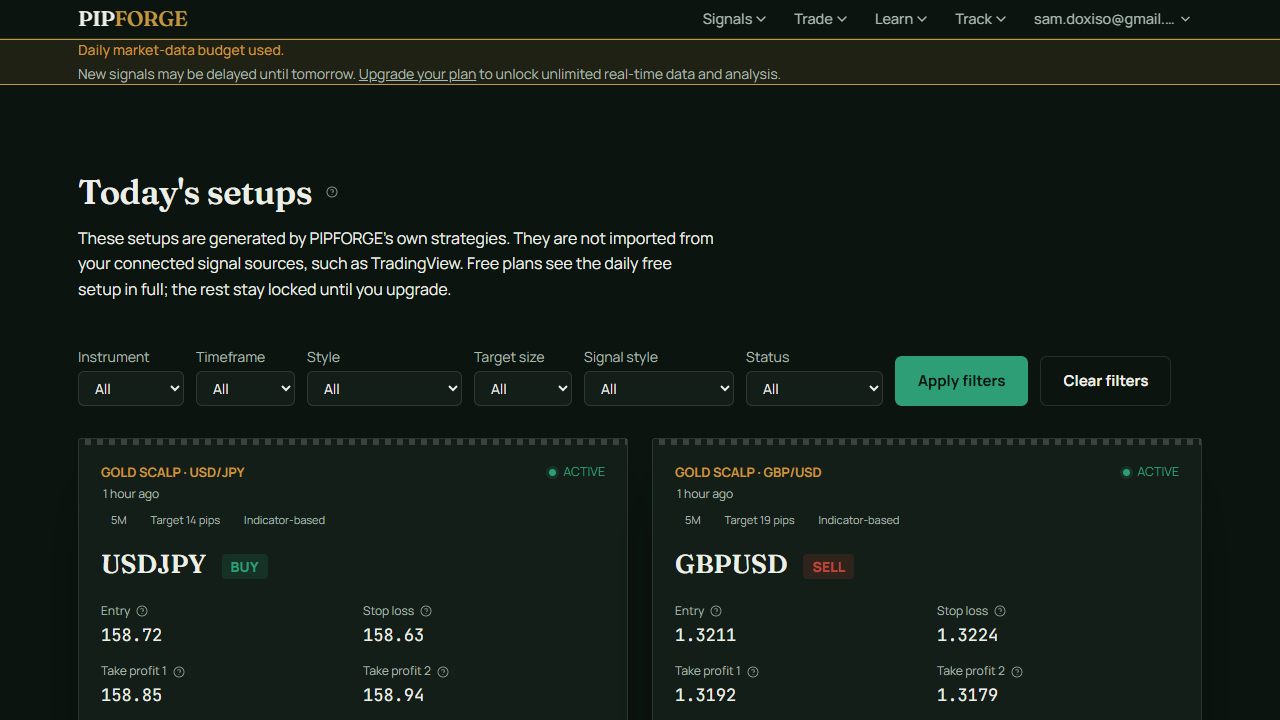
What a signal card is
A signal card is a single, structured trade idea. It tells you which market to watch, whether to buy or sell, where to enter, where to place a stop loss, and where to take profit. Everything is designed so you can decide quickly.
The key fields
- Instrument — the symbol being traded, e.g. XAUUSD (Gold).
- Direction — BUY or SELL. This is the side the setup is expecting.
- Entry — the price zone where the setup becomes active.
- Stop loss — the level where the setup is considered wrong and should be closed for a loss.
- Take profit 1 & 2 — realistic profit targets, usually expressed as multiples of the risk you're taking.
- Setup score — a 0-100 confidence rating based on the number of rules that align.
- Status — ACTIVE, WATCHING, CLOSED WIN, CLOSED LOSS or INVALIDATED.
A quick reliability note
The numbers are checked for internal consistency, but the track record shown is from paper/demo trading. That means no real money was risked while the stats were collected, so live results may differ due to spreads, slippage and execution timing.